
Finance
Payment by Percentage
Split tuition into instalments, as percentages of the total, for the whole school.
- Where to find it
- FinancePayment by Percentage
- Who can use it
- CEOAdmin managerAccountantCashier
- Condition
- Only visible if the Finance module is enabled for your school.
Video coming soon Checked on October 3, 2026
Payment by percentage defines, for a school and a school year, how tuition is split: for example 40% at the start of the year, 30% in January, 30% in April. New enrolments' instalments follow this split (see Instalment).
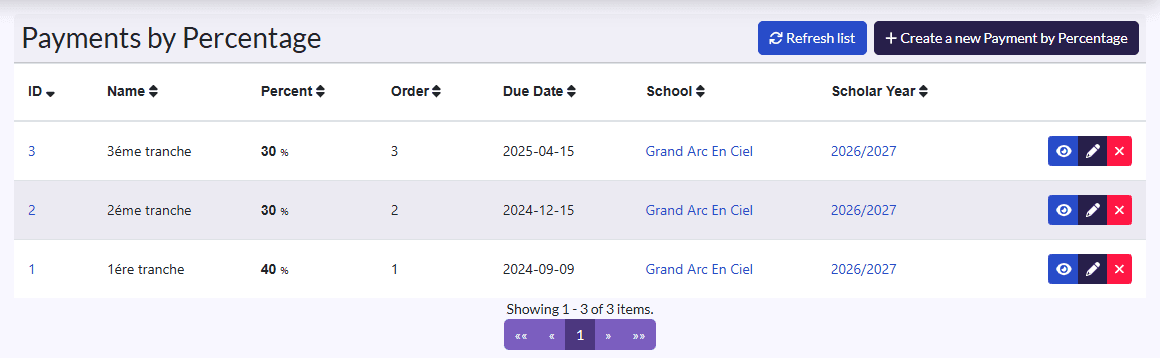
Create the split
- Click Create a new Payment by Percentage.
- Fill in the Name (1st instalment), Percent (40), Order (1) and Due Date.
- Pick the School and the Scholar Year.
- Click Sauvegarder et créer un/une autre (save and create another) for the next part.
Check that the year's percentages add up to 100%.