
Diverse
School Activity
Offer trips, clubs and workshops to families, with a price, a number of places and a date.
- Where to find it
- DiverseSchool Activity
- Who can use it
- CEOAdmin managerDirectorAdmin
Video coming soon Checked on October 3, 2026
A school activity is an offer to families: a trip, club, workshop, course… with a price, a number of places and a date. Once approved, it is offered to the parents of the targeted annexes or classes, who can enrol their children.
The screen at a glance
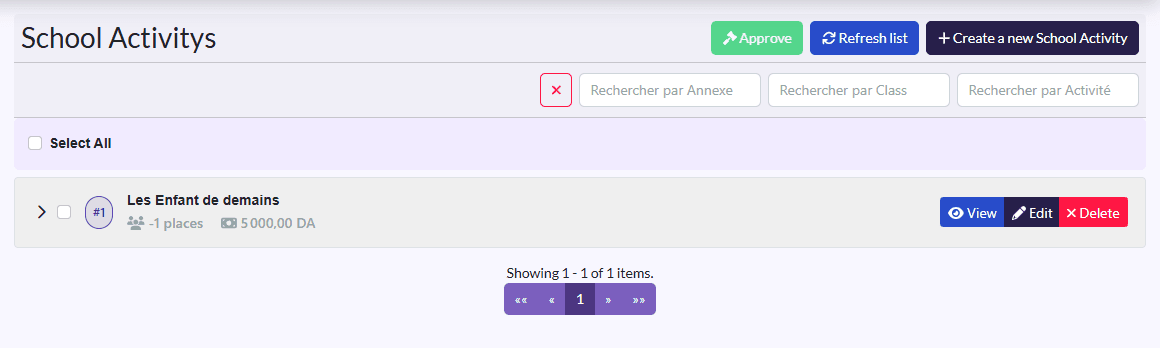
Activities show as an accordion: click an activity to expand it. Select All selects them all, then Approuver (approve) approves them at once. On each activity: View, approve, Edit, Delete.
Create an activity
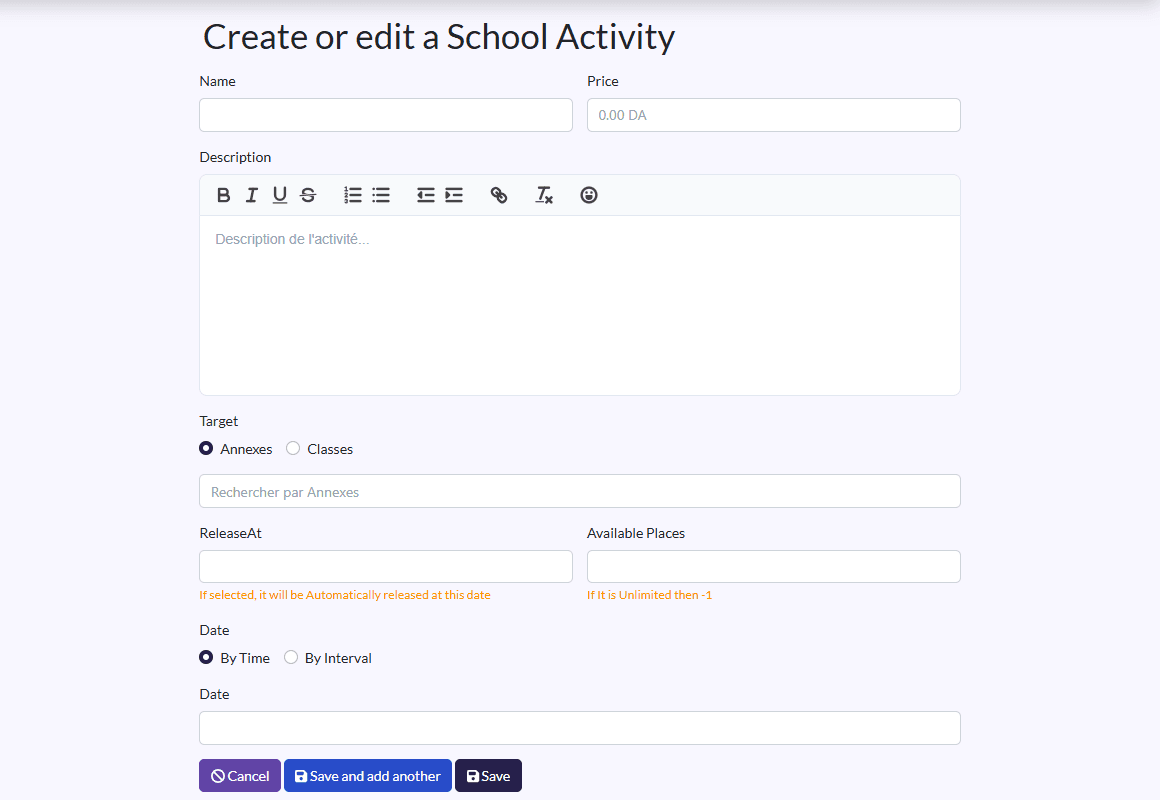
- Click Create a new School Activity.
- Fill in the Name, Price and Description.
- Target: pick annexes or classes, then the ones concerned.
- ReleaseAt: when the activity becomes visible to families.
- Available Places.
- Date: a precise date (By Time), or By Interval with Start Date and End Date.
- Click Save.
Approve
An activity is only offered to families once approved: tick it and click Approuver. Enrolments then arrive in Activity Subscription.