
Diverse
Activity Subscription
Follow and approve students' enrolments in school activities.
- Where to find it
- DiverseActivity Subscription
- Who can use it
- CEOAdmin managerDirectorAdmin
Video coming soon Checked on October 3, 2026
This screen gathers students' enrolments in school activities, made by parents from the app or by the school.
The screen at a glance
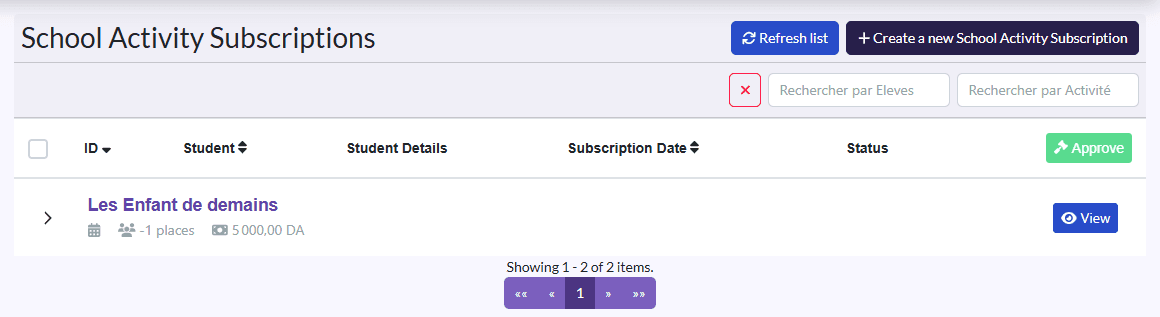
- Filters: student, activity, and the ✕ button.
- Columns: Student, Student Details, Subscription Date, Status.
- Actions: Refresh list, Create a new School Activity Subscription; on a selection, Approuver (approve); on each row View, approve, Edit, Delete.
Enrol a student
- Click Create a new School Activity Subscription.
- Pick the Student and the School Activity.
- Click Save.
Approve requests
Tick the enrolments to approve, then click Approuver.