
Diverse
Feed
Share the school's highlights (photos, events) in the families' news feed.
- Where to find it
- DiverseFeed
- Who can use it
- CEOAdmin managerDirectorAdminHead teacherTeacher
Video coming soon Checked on October 3, 2026
The feed is the school's news: trips, celebrations, successes, in text and photos. Posts show in the parent app's feed, for the chosen recipients.
The screen at a glance
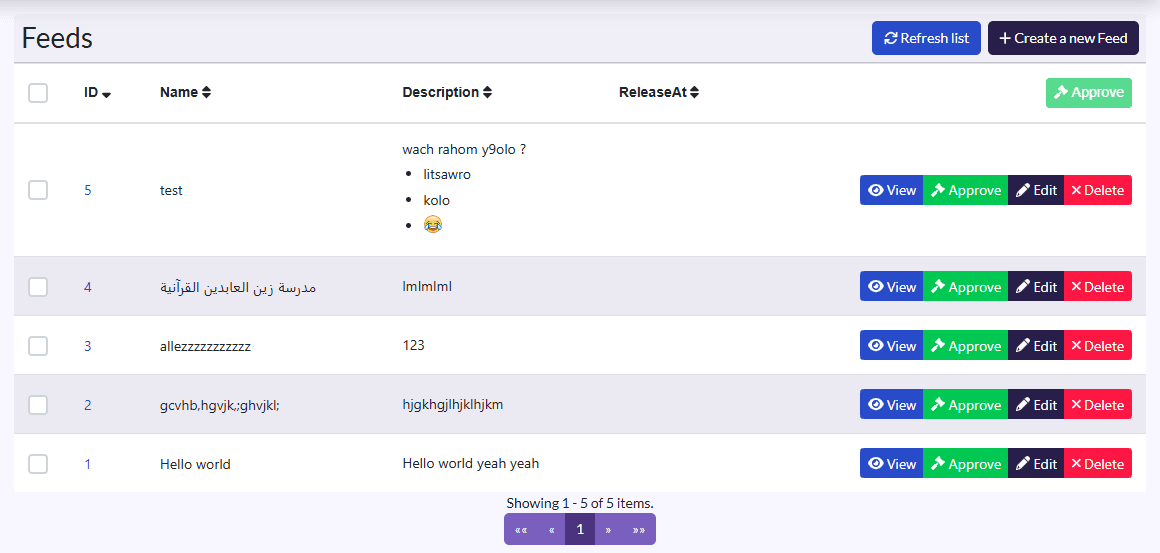
- Columns: Name, Description, ReleaseAt (publication date).
- Actions: Refresh list, Create a new Feed; on a selection, Approuver (approve); on each row View, approve, Edit, Delete.
Post
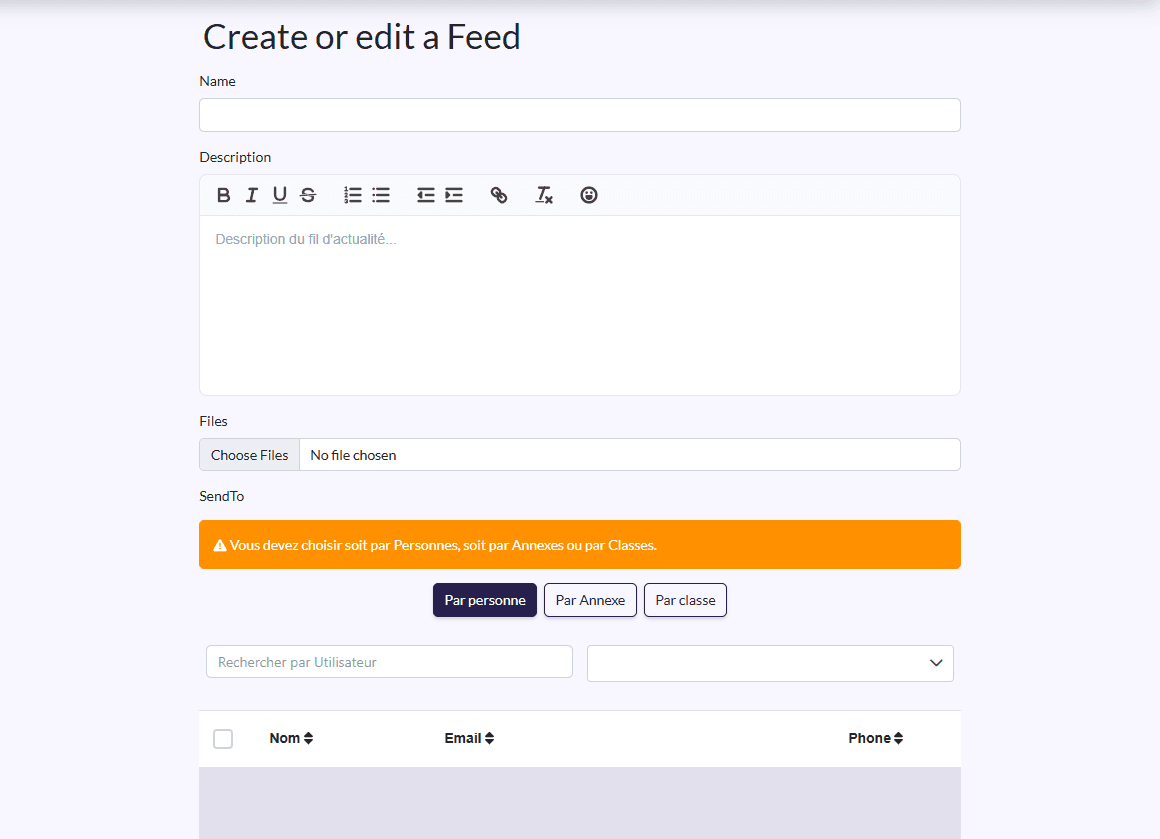
- Click Create a new Feed.
- Fill in the Name and Description, and add your photos or documents in Files.
- In SendTo, pick Par personne, Par Annexe or Par classe (by person, annexe or class), then the recipients.
- Click Save.
Approve and follow
Tick the post and click Approuver: it then shows in the families' feed. View shows its files and the reactions it received.