
SchoolingExtra
Canteen
Publish canteen meals per day, annexe and level, and see reactions.
- Where to find it
- SchoolingExtraCanteen
- Who can use it
- CEOAdmin managerDirectorAdminHead teacherTeacherAccountantSecretary
Video coming soon Checked on October 3, 2026
The Canteen screen publishes the meals served: for a weekday, over a period (start and end date), in an annexe and for a level. Parents see them in the parent app.
The screen at a glance
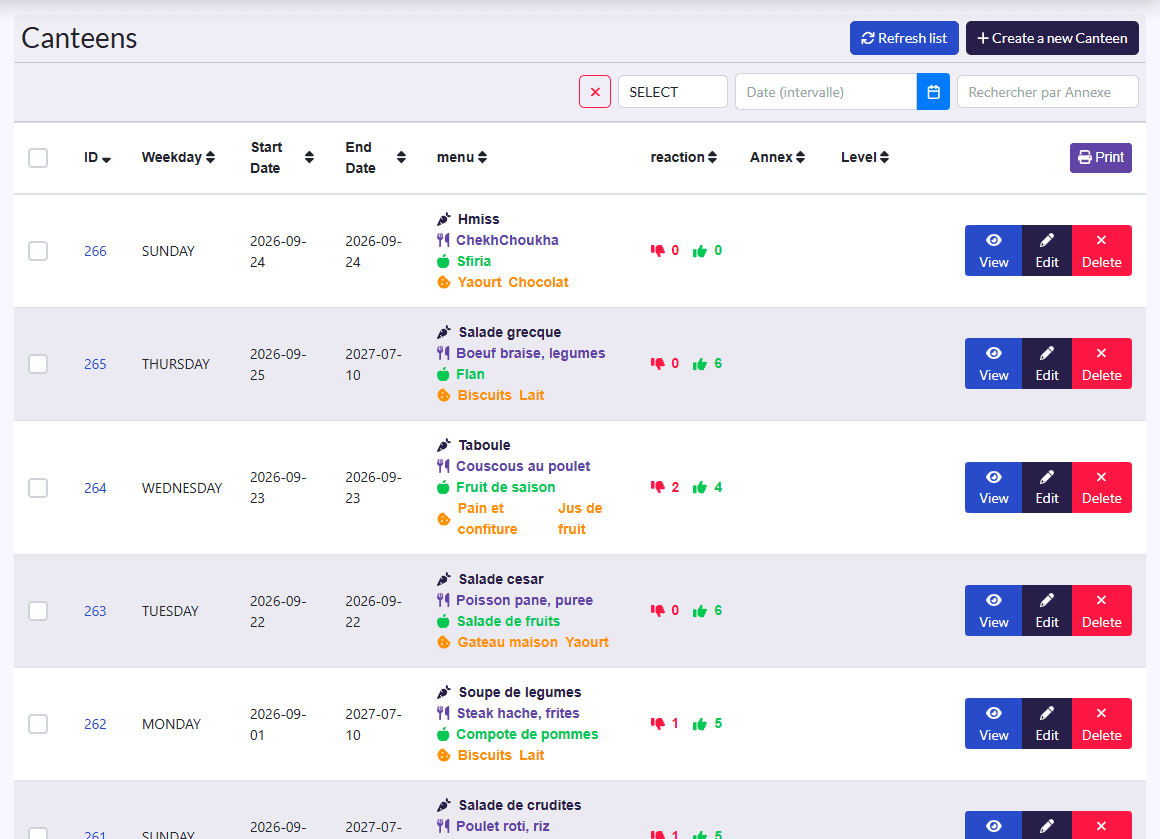
- Filters: date, annexe, level, and the ✕ button to clear them.
- Columns: Weekday, Start Date, End Date, menu, reaction, Annex, Level.
- Actions: Refresh list, Create a new Canteen, Imprimer (print); on each row View, Edit, Delete.
Plan a meal
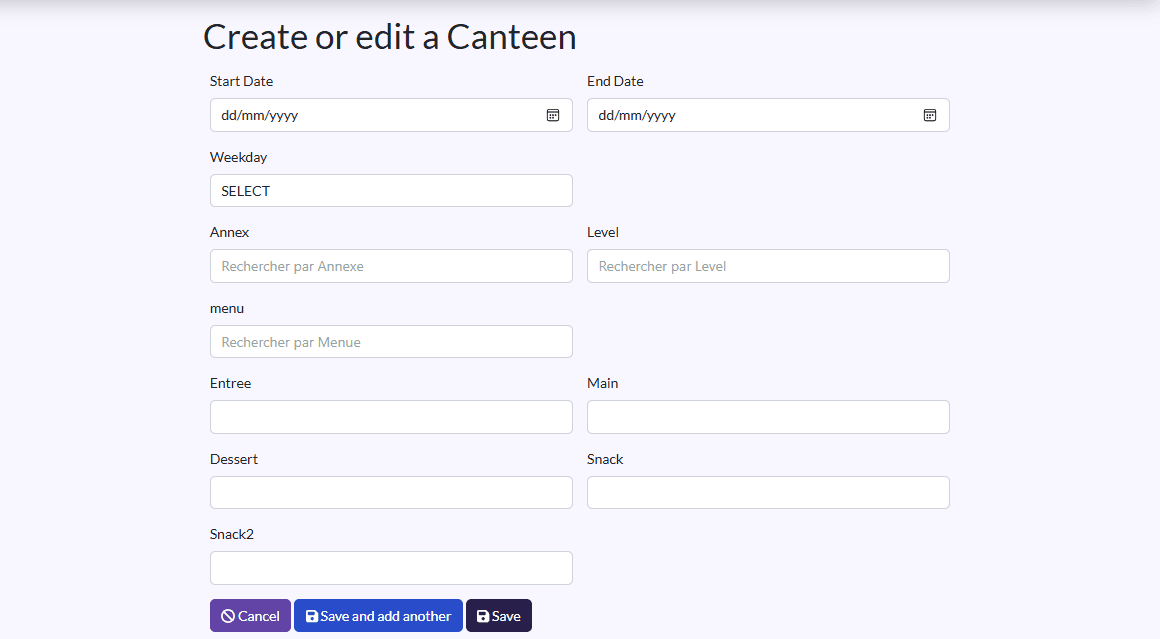
- Click Create a new Canteen.
- Fill in the Start Date, End Date and Weekday.
- Pick the Annex and the Level.
- Pick a saved menu (see Menu), or detail the meal: Entree, Main, Dessert, Snack, Snack2.
- Click Sauvegarder et créer un/une autre (save and create another) for the next day, then Save.
Reactions
The reaction column shows the likes and dislikes recorded for each meal.