Infrastructures
Annexe
Create the school's sites or buildings and assign their director and administrators.
- Where to find it
- InfrastructuresAnnexe
- Who can use it
- CEOAdmin managerDirectorAdmin
Video coming soon Checked on October 3, 2026
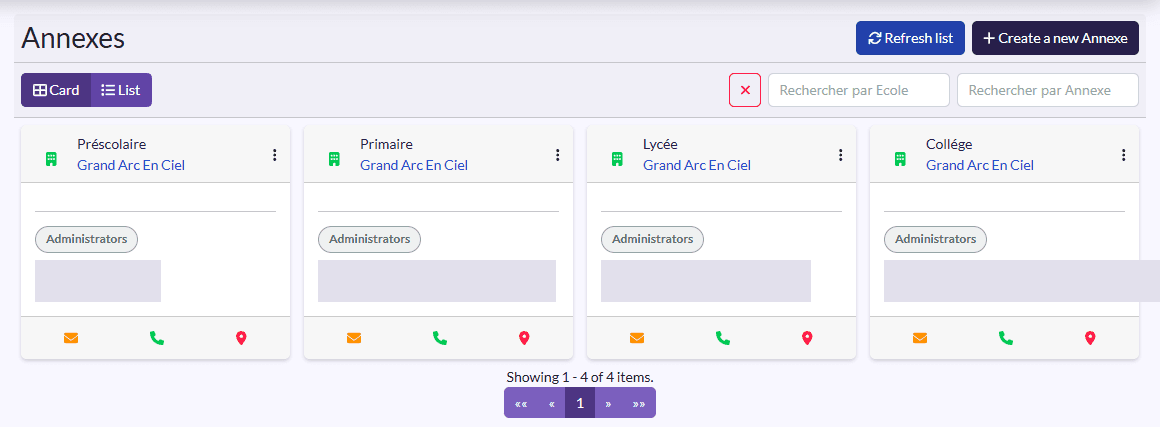
An annexe is a site or building of the school. You need at least one: rooms, and therefore classes, belong to it. Directors and administrators only see the data of the annexes assigned to them.
Two views
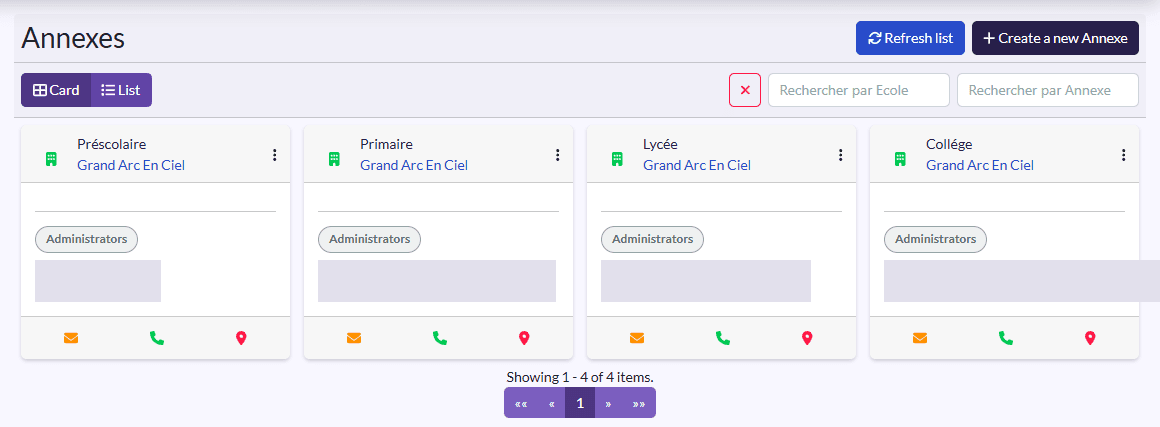
- Carte (card): one card per annexe, with its school, Director, Administrators and email, phone and location shortcuts.
- Liste (list): a table Name, Address, Main, Phone, Email, School.
Create an annexe
- Click Create a new Annexe.
- Pick the School, then fill in the Name, Description, Phone, Email and Address.
- Place the annexe on the map (Localisation).
- Tick Main for the main annexe, and Is Kindergarten if needed.
- Click Save.
Assign the team
Open the annexe (View) and click Affecter (assign) to pick its director and administrators. They then show on the annexe's card. Annexes can also be assigned from a user's record (see Users management).