
SchoolingCourse Management
Teacher Visits Schedule
Publish the slots when each teacher meets parents.
- Where to find it
- SchoolingCourse ManagementTeacher Visits Schedule
- Who can use it
- CEOAdmin managerDirectorAdminHead teacherTeacher Parents: from the parent app
Video coming soon Checked on October 3, 2026
Reception days are the slots when each teacher meets students' parents. Parents see them in the parent app.
Show the reception days
Pick a teacher in the filter: their slots show as a calendar.
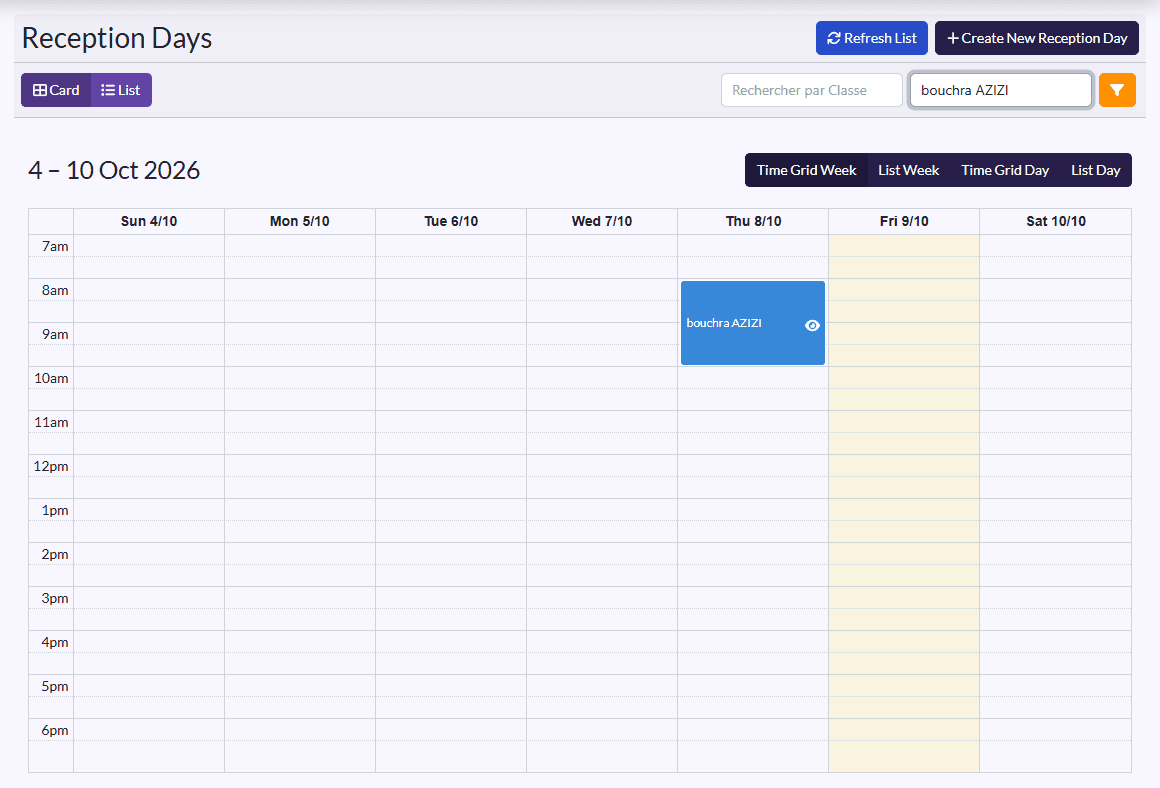
- Carte (card) / Liste (list) switches between the calendar and the table (Day, Subject, Teacher, Class, Start, End).
- In list view: Imprimer par Classes, Imprimer par Enseignants (print by classes / teachers), and on each row View, Edit, Delete.
Add a reception slot
- Click Create New Reception Day.
- Fill in the Day, Start, End and Teacher.
- Click Save, or Sauvegarder et créer un/une autre (save and create another).
Creating is reserved for management, administration and the head teacher.