
SchoolingCourse Management
Moyenne
View, enter or correct each student's average per trimester.
- Where to find it
- SchoolingCourse ManagementMoyenne
- Who can use it
- CEOAdmin managerDirectorAdminHead teacherTeacher Parents: from the parent app
Video coming soon Checked on October 3, 2026
The Moyenne (average) screen holds each student's average, per trimester and school year.
The screen at a glance
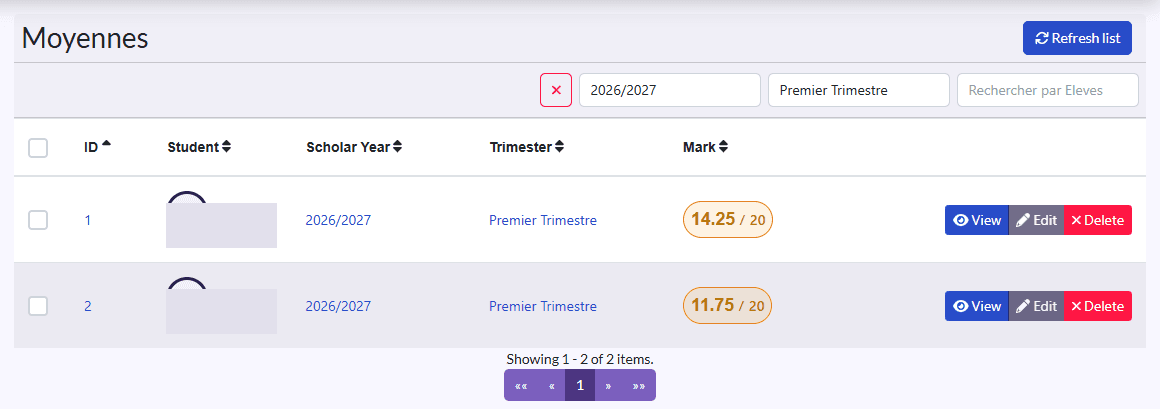
- Filters: student, school year, trimester, and the ✕ button to clear them.
- Columns: Student, Scholar Year, Trimester, Mark.
- Actions: Refresh list, Create a new Moyenne; on each row View, Edit, Delete.
Enter or correct an average
- Click Create a new Moyenne, or Edit on an existing average.
- Fill in the Mark, the Scale (for example 20) and the Student.
- Click Save.
Creating and editing are reserved for the CEO, head administrator, director and administrator. Teachers, parents and students can view.