
SchoolingCourse Management
Homework
Give homework with a due date, approve it and notify students and parents.
- Where to find it
- SchoolingCourse ManagementHomework
- Who can use it
- CEOAdmin managerDirectorAdminHead teacherTeacher Parents: from the parent app
Video coming soon Checked on October 3, 2026
A homework is work to hand in, with a due date, published for one or more classes. Once approved, it is sent to the students and their parents.
The screen at a glance
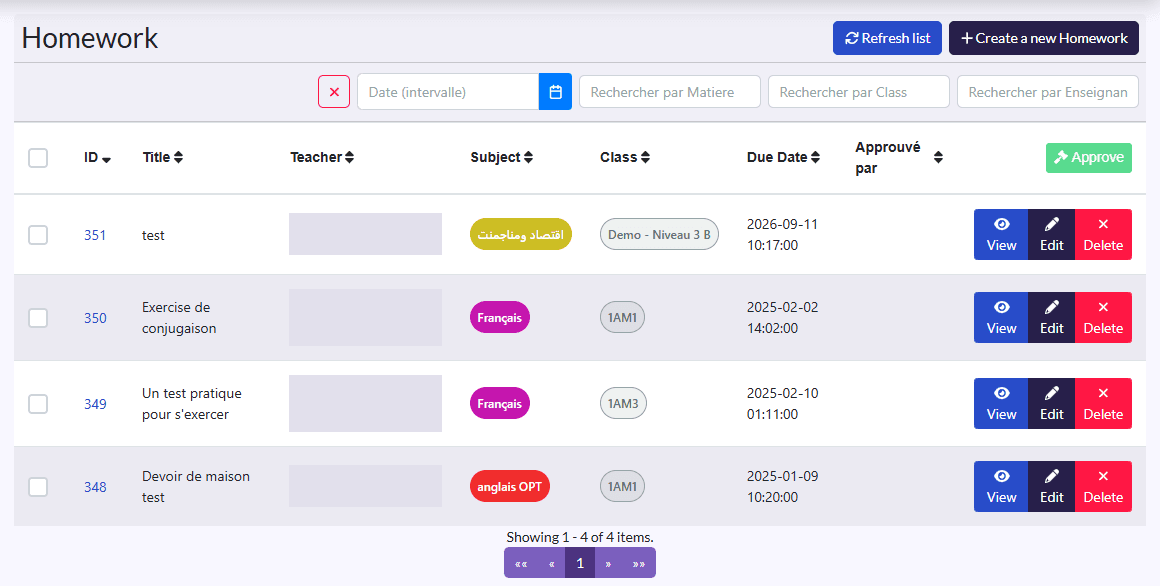
- Filters: date, teacher, subject, class, and the ✕ button to clear them.
- Columns: Title, Teacher, Subject, Class, Due Date, Approved By.
- Actions: Refresh list, Create a new Homework; on a selection, Approuver (approve); on each row View, approve, Edit, Delete.
Give homework
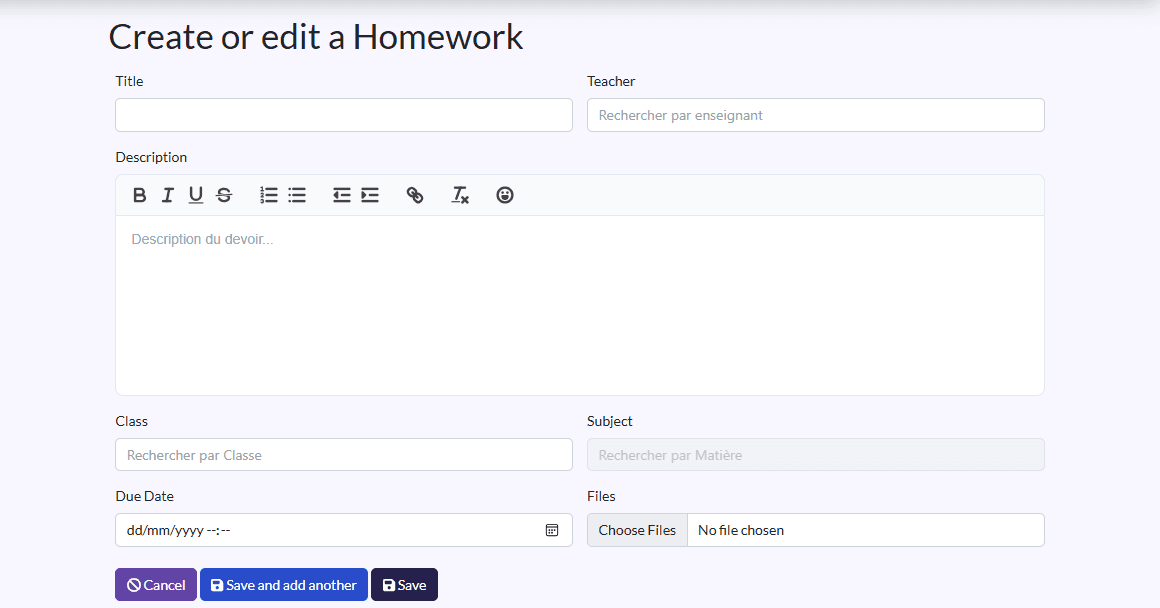
- Click Create a new Homework.
- Fill in the Title, the Teacher and the Description (instructions).
- Pick the Class(es) and the Subject.
- Set the Due Date.
- Attach Files if needed (exercises, worksheet).
- Click Save, or Sauvegarder et créer un/une autre (save and create another) to go on.
Approve homework
Tick the homework and click Approuver, or use the row's approve button. Approving is reserved for the CEO, head administrator, director and administrator.
Homework approval
The “Approbation des devoirs” (homework approval) setting is in Setings. Families only see approved homework.
What happens next
- On creation, administrators get a notification that a new homework was created.
- On approval, the students of the classes and their two parents get a notification that their teacher of that subject published new homework.