
Communications
Messages
Exchange private messages with a parent, a teacher or a staff member.
- Where to find it
- CommunicationsMessages
- Who can use it
- All signed-in users
Video coming soon Checked on October 3, 2026
Messages are private exchanges between two people: most often the school and a parent. They read as a conversation or as a list, and parents reply from the parent app.
Screen partly in French
Most of this screen's labels are not translated into English yet and show in French.
Two views
- Messages: the conversation view, with conversations on the left and the selected one on the right.
- Liste (list): a table ID, Subject, Sender, Receiver, Approuvé par (approved by), with View, Approuver (approve), Edit, Delete.
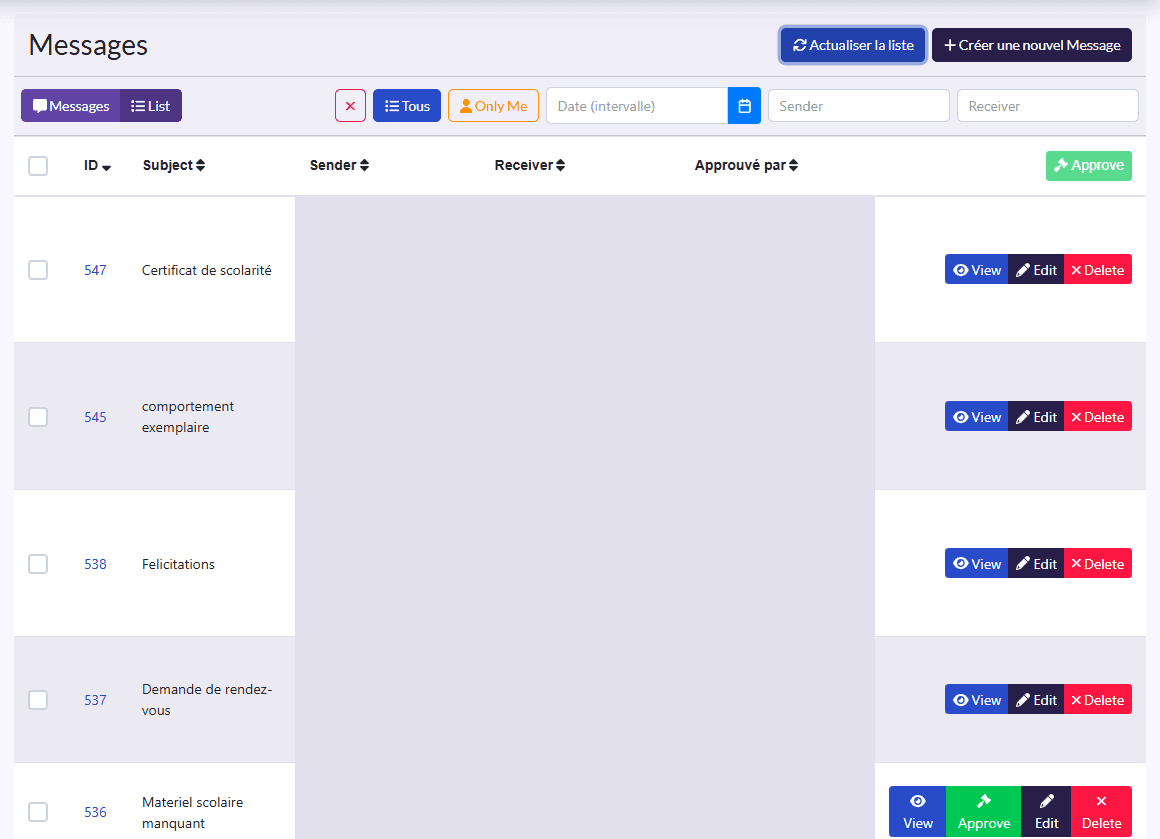
Filters: Tous (all), Only Me (your messages only), a date range, sender and receiver, and the ✕ button to clear them.
Write a message
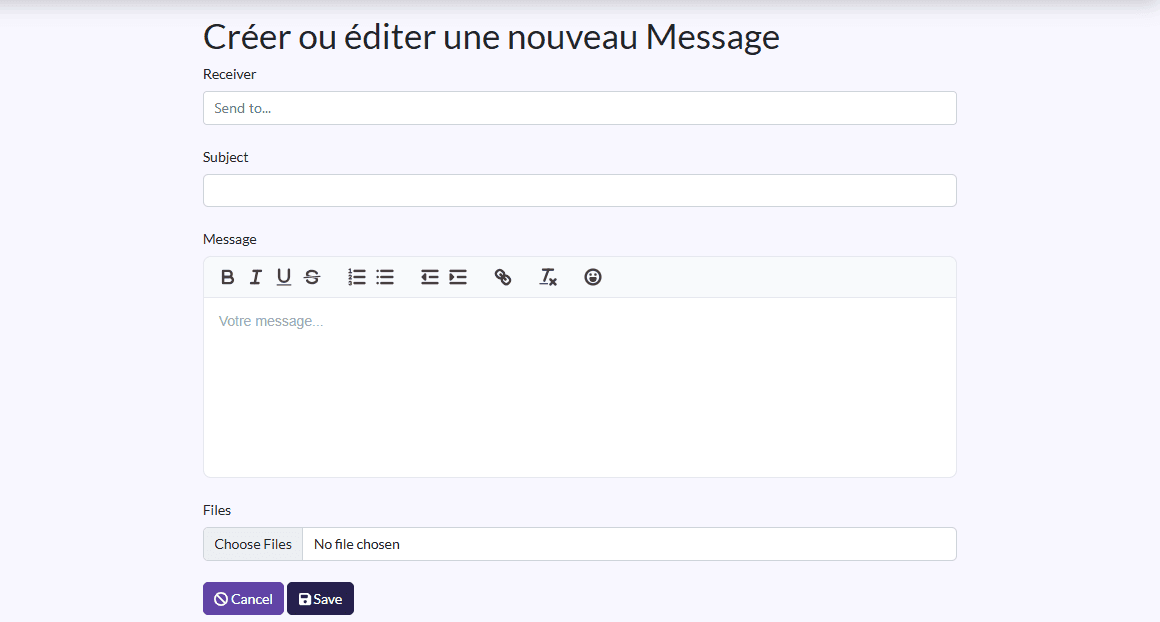
- Click Créer une nouvel Message (create a new message).
- Pick the recipient's Role (for example Parent) and, if needed, the Class, to find them faster.
- Pick the Receiver.
- Fill in the Subject and the Message, and attach Files if needed.
- Click Save.
Reply and approve
In the conversation view, select a conversation and reply directly. If message approval is on in Setings, a message must be approved (Approuver) before it is delivered.