
Users
Parent
Parent accounts and the family sheet (children, payments, instalments, files).
- Where to find it
- UsersParent
- Who can use it
- CEOAdmin managerDirectorAdmin
Video coming soon Checked on October 3, 2026
The Parent screen lists all the school's parent accounts. Its strength is the family sheet, which brings the parents, all their children and their situation together on one page.
The screen at a glance
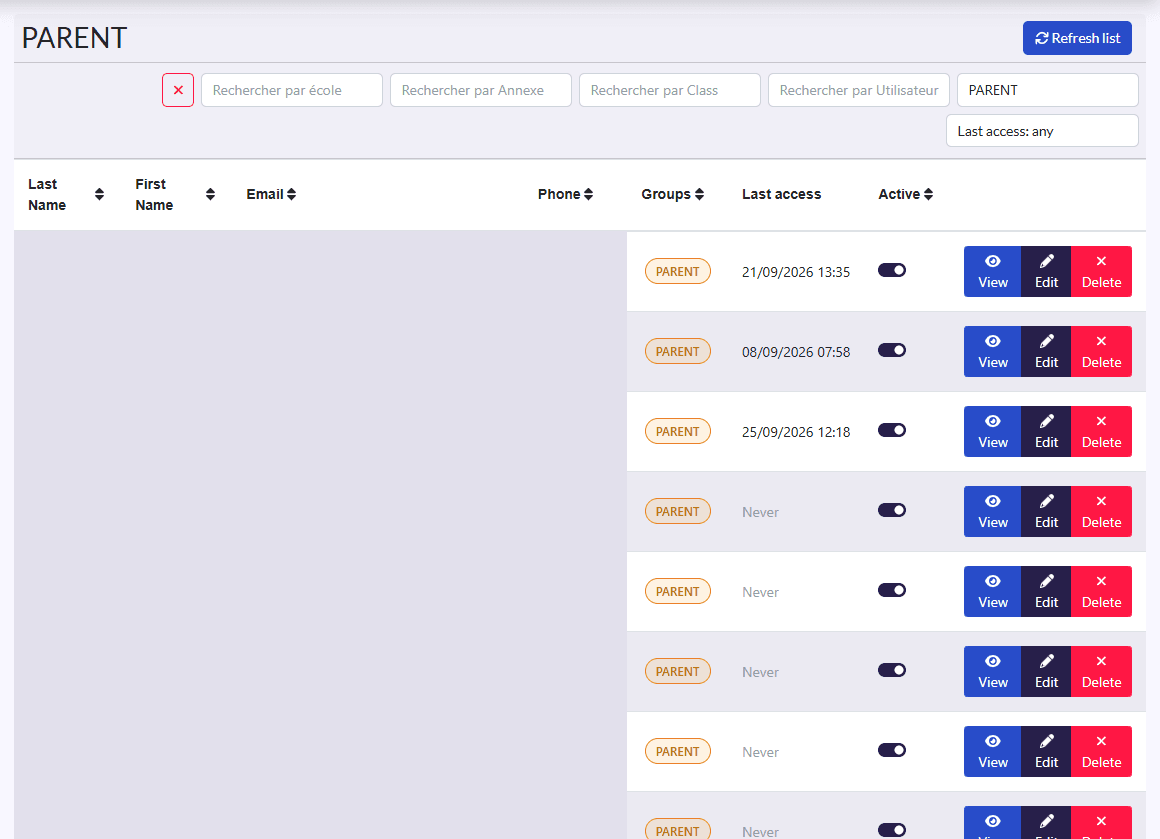
- Filters: school, annexe, class, user, group, and the ✕ button.
- Columns: Last Name, First Name, Email, Phone, Groups (roles), Active.
- Actions on each row: View, family, Edit, Delete.
The family sheet
Click the family button. The Family sheet shows:
- the Parents;
- the family's Students: registration number, last and first name (also in Arabic), birth date, gender, authorized to leave, class;
- tabs Paiments, Versements, Dossier and Dossier médical (payments, instalments, file, medical file).
At the front desk
The family sheet answers most of a parent's questions on one page: their children, what is paid, what is left.
Help a parent sign in
View or Edit the parent, then use the password reset button. Edit also lets you fix their Email and Phone, which are their username.